

Your phone
- Set up once, in about three minutes (the three steps above).
- See their day at a glance: doses taken, check-ins, readings, steps and where they are, if they share it.
For you and your parents
Medicines that ring on time, a daily hello in their own language, and an alert to you the moment something is wrong. You set it up on your phone; your parents just answer theirs.
Free to download. 7-day free trial.
8:00
Time for your morning tablet
Taken
Medicine taken · 8:00
Good morning! How are you feeling today?
Check-in done · 11:00
SOS · family alerted
Held for 3 seconds. Every family phone rings and shows where they are.
Everyone in the family sees the same day.
What ewa says through the day:
How it works
You do the setting up. Your parent's phone does the reminding, listening and ringing. Setting up takes about three minutes.
Install ewa Cares on your phone, create your account and add your parent.
Add their medicines, daily routine, doctors and family numbers, and the language ewa should speak with them.
Send them a picture with a 6-digit code. On their phone they install ewa Cares, tap “I already have an account”, then “Parent”, and choose the picture. The code fills in by itself.


What ewa Cares does
Each dose rings like an alarm at the exact minute, even when the phone is locked. If it is not answered, it rings again; after the last ring the dose counts as missed and you are told.
Water, walks, meals, waking up and sleep. ewa reminds your parent at each time and you see what was done.
Read from the phone's own health records through Health Connect, only when your parent allows it. Nothing to type in.

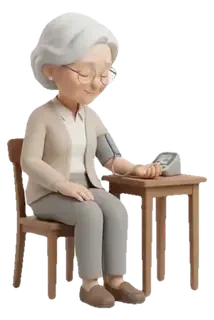
Blood pressure, sugar, oxygen, weight and temperature. Take a photo of the BP monitor or glucometer screen and ewa reads the numbers.
Your parent taps one big button and speaks in their own words. ewa listens and answers in their language.
A short daily hello by voice. Your parent can record a voice message for the family, and you can send one back.
Your parent holds SOS for 3 seconds. Every family phone rings with a loud alarm and shows where they are. ewa does not call emergency services; the SOS page shows the ambulance number to tap.
An alert when a dose is missed, the check-in is not done, or your parent's phone has not been used for a while. You can ring their phone until they answer with a voice note.
Optional location sharing so the family can find your parent, and every minute during an SOS. Your parent can switch it off any time. History is kept for 30 days.
Invite brothers, sisters or a helper with a code. Everyone sees the same day, so nobody has to ask “did they take their medicine?”
Family, the doctor and neighbours, each one tap away. No numbers to remember.
Large text, zoom to 125% or 150%, and colour themes. Big buttons and ewa's voice mean no typing for your parent.

ewa Cares is not a medical device. It does not diagnose or treat any condition. Always follow your doctor's advice.
A day with ewa
What one ordinary day looks like on your phone, wherever you are.
Languages
The app's words and ewa's voice use the language your parent knows best. Your app and your parent's phone can each be set to a different language, so everyone reads and hears the one they are most at home in.

Our privacy promise
Pricing
Free to download, with a 7-day free trial. After that, one subscription covers you and your parents. Subscriptions are bought in the app through Google Play or the App Store.
$20a month
For you and one parent. Or $215 a year, instead of $240.
People in your family
Every feature, in every plan. Add a brother, sister, helper or second parent for $5 a month each, up to 5 people. Cancel any time in Google Play or the App Store.
Get the app
ewa Cares is not in the app stores yet. Install it on your phone first, then on your parent's phone.
Questions before then? Write to support@getewa.ai.